
If you’ve ever wondered how closed caption at movie theater works, whether you can request it, or what device you’ll be handed at the counter — you’re not alone.
More people are asking about captioned movie options than ever before. Whether you’re Deaf or hard of hearing, learning English, prefer reading dialogue, or simply don’t want to miss whispered lines in a thriller, movie theater closed captions are a game-changer.
This guide breaks it all down in a clear, practical, human way — no technical jargon, no confusing policies. Just what you need to know before buying that popcorn.
What Does Closed Caption at Movie Theater Actually Mean? 🎥
When we talk about closed caption at movie theater, we’re referring to captions that are not displayed on the main movie screen for everyone. Instead, they’re delivered to individual viewers through a device.
Here’s what that means in simple terms:
- Closed captions are personal — only you see them.
- They include dialogue plus sound descriptions like [door slams] or [music intensifies].
- They’re different from open captions, which appear on the main screen.
- The system syncs captions with the movie in real time.
- You typically request the device at the ticket counter.
- Most large cinema chains are required to provide captioning options.
- The captions appear on a small screen or glasses-like device.
- They do not disturb other moviegoers.
- The captions usually sit in your line of sight.
- You can often adjust brightness or position.
- The device is provided free of charge.
- It works for most mainstream movie releases.
- Independent theaters may vary in availability.
- Staff are trained (in most places) to assist you.
- You do not need to explain why you want it.
It’s accessibility — simple as that.
Types of Closed Caption Devices in Movie Theaters 🖥️
Not all theaters use the same technology. Here are the most common devices you might encounter:
- CaptiView device – Small flexible screen mounted in your cup holder.
- Captioning glasses – Subtitles appear on lenses like floating text.
- Rear Window system – Reflective panel system used in older theaters.
- Handheld screen device – Looks like a small tablet.
- Seat-mounted caption screen – Installed directly in select auditoriums.
- Devices usually sync automatically.
- Most are lightweight and adjustable.
- You may need to align the device with the screen.
- Glasses work best if you’re seated mid-theater.
- Some devices allow text size adjustments.
- Battery life covers full movie length.
- Staff can swap devices if one malfunctions.
- Some theaters test devices before showtime.
- Availability depends on auditorium technology.
- Newer theaters tend to have smoother systems.
If one device feels uncomfortable, ask if another option is available.
Closed Caption vs Open Caption at Movie Theater 🔎
This is one of the most searched questions about closed caption at movie theater.
Here’s the difference:
- Closed captions = private viewing device.
- Open captions = subtitles on the main screen.
- Closed captions are available anytime (if the device works).
- Open captions are scheduled specific showtimes.
- Open captions benefit everyone in the room.
- Closed captions require device setup.
- Open captions do not require extra equipment.
- Some people prefer open captions for comfort.
- Closed captions allow flexibility in seat choice.
- Open captions are great for group accessibility.
- Closed captions include sound descriptions.
- Open captions sometimes focus mainly on dialogue.
- Not all theaters schedule open caption screenings.
- Closed caption devices are more common nationwide.
- Both are valuable accessibility tools.
If you prefer no device hassle, look for “Open Caption” showtimes.
How to Request Closed Caption at Movie Theater 🎟️
Most people hesitate because they don’t know what to say.
Here’s how simple it actually is:
- Go to the ticket counter.
- Ask: “Do you have closed caption devices available?”
- Mention your movie and showtime.
- Staff will check availability.
- They’ll hand you a device and instructions.
- Sometimes they ask for ID temporarily.
- You’ll return the device after the movie.
- You can request it even if you booked online.
- No proof of hearing status is required.
- Ask for a quick demo if unsure.
- Arrive 15–20 minutes early.
- If device fails, step out and request replacement.
- Staff are legally obligated to provide access in many regions.
- You can call ahead to confirm availability.
- Many theater websites list accessibility info online.
It’s your right to ask.
Do All Movies Have Closed Caption at Movie Theater? 🎞️
This depends on distribution format.
Here’s what to know:
- Most major releases support captioning.
- Digital cinema packages usually include caption files.
- Smaller indie films sometimes don’t.
- Foreign films often include subtitles by default.
- Animated films almost always support captions.
- Special event screenings may vary.
- Concert films may not always include caption tracks.
- Older re-releases depend on formatting.
- IMAX typically supports captioning devices.
- 3D films usually work with caption devices.
- Streaming-event screenings may differ.
- Theater websites often indicate accessibility.
- Staff can confirm compatibility.
- If captions aren’t available, request open caption showtimes.
- Accessibility continues improving industry-wide.
Always check before showtime if it’s critical.
Who Benefits from Closed Caption at Movie Theater? 👂
Accessibility isn’t one-size-fits-all.
Closed caption services support:
- Deaf viewers.
- Hard-of-hearing individuals.
- People with auditory processing disorders.
- ESL (English as a Second Language) learners.
- Neurodivergent viewers.
- Seniors with partial hearing loss.
- Viewers sensitive to loud volume.
- People watching in noisy auditoriums.
- Moviegoers who struggle with accents.
- Fans of fast-paced dialogue films.
- Students studying film scripts.
- People recovering from ear injuries.
- Parents watching quietly while baby sleeps nearby.
- Viewers who simply prefer reading along.
- Anyone who wants clarity.
Captioning isn’t niche. It’s inclusive.
Brand New Social Media Caption Ideas
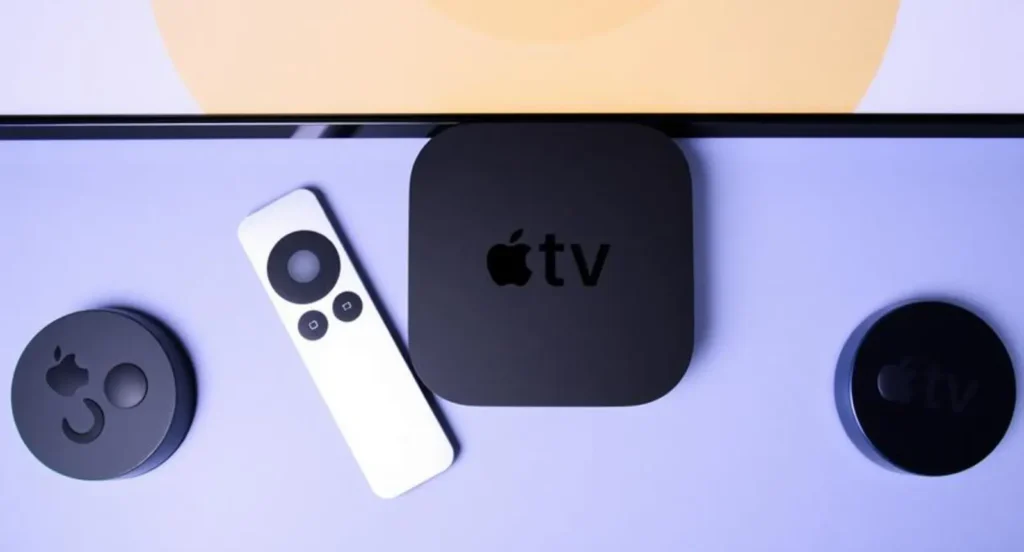
- “Closed captions on Apple TV just got way easier in 2026! 🔥 Never miss a plot twist again. Who else uses subtitles religiously? Drop a 🔥 below!”
- “Quick 2026 hack: Turn on closed captions Apple TV in seconds! 📺 Perfect for late-night binge sessions. Save this for your next movie night!”
- “Apple TV closed captions not showing? Fixed in under 30 seconds! ✨ 2026 guide inside. Tag your binge-watching buddy! 👥”
- “Level up your viewing: Master closed captions on Apple TV 2026 🎥 Crystal clear subtitles = next-level immersion. Who’s trying this tonight?”
- “Pro tip for 2026: Enable closed captions on Apple TV & never struggle with accents again! 💡 What’s your go-to subtitle language?”
- “Closed captions Apple TV 2026 = game changer for family movie nights! 👨👩👧👦 Easy setup, zero hassle. Who needs this?”
- “Struggling with subtitles on Apple TV? Here’s the 2026 fix everyone’s talking about! 🚀 Save & share with friends!”
- “Turned on closed captions on my Apple TV today – mind officially blown! ✨ 2026 vibes only. What are you watching right now?”
- “Best-kept secret for Apple TV users in 2026: Perfect closed captions setup! 📝 Step-by-step in comments. Try it!”
- “Closed captions on Apple TV just hit different in 2026 🔥 Make every dialogue count. Tag someone who needs this guide ASAP!”
Tips for a Better Closed Caption at Movie Theater Experience 🍿
Small adjustments make a big difference.
- Sit in the middle section for best alignment.
- Test device before previews end.
- Adjust brightness early.
- Don’t wait until mid-movie to fix alignment.
- Keep device steady to avoid shifting text.
- Ask for replacement immediately if flickering.
- Bring reading glasses if needed.
- Avoid extreme front-row seats.
- Keep device upright for best visibility.
- Charge concerns? Ask about battery life.
- Clean device surface gently if smudged.
- Try glasses model if cup-holder version distracts you.
- Position screen just below main screen.
- Take a minute to adjust posture.
- Relax — it gets easier after 5 minutes.
The first time may feel awkward. After that, it’s second nature.
Are Theaters Required to Provide Closed Caption? ⚖️
In many countries, yes.
Key points:
- U.S. theaters follow ADA requirements.
- Large chains must provide assistive devices.
- Minimum number of devices is mandated.
- Staff must provide them upon request.
- No additional charge allowed.
- Equipment must be functional.
- Theaters must maintain accessibility standards.
- Online accessibility info is encouraged.
- Refusal can be reported.
- Laws vary internationally.
- Urban theaters usually comply more consistently.
- Independent cinemas may have limited devices.
- Accessibility complaints can be filed formally.
- Legal protections protect equal access.
- Accessibility is evolving globally.
Always check local regulations if unsure.
Common Problems with Closed Caption Devices 🔧
Let’s be honest — tech sometimes glitches.
Common issues include:
- Text slightly out of sync.
- Screen flickering.
- Brightness too dim.
- Device not pairing properly.
- Caption lag during fast dialogue.
- Glasses slightly blurry.
- Reflective glare from lights.
- Dead battery.
- Device slipping in cup holder.
- Staff unfamiliar with troubleshooting.
- Limited device availability for sold-out shows.
- Wrong movie synced.
- Caption text too small.
- Screen angle awkward.
- Device cutting off mid-film.
Most issues are fixable quickly — just step out and ask.
How to Find Closed Caption Showtimes Online 🌐
Searching smart saves time.
- Visit official theater website.
- Look under “Accessibility.”
- Search movie title + “closed caption.”
- Check showtime filters.
- Look for “CC” symbol next to listings.
- Some apps label accessibility options.
- Call theater directly.
- Check FAQ pages.
- Ask via social media.
- Look for “Open Caption” labeled screenings.
- IMAX sites list assistive features.
- Fandango sometimes notes CC support.
- AMC and Regal list accessibility clearly.
- Smaller theaters may require phone confirmation.
- Double-check on busy weekends.
A quick check avoids last-minute stress.
Closed Caption Etiquette at Movie Theater 🤝
Accessibility works best when everyone cooperates.
- Keep device brightness moderate.
- Avoid blocking someone’s view.
- Silence your phone completely.
- Don’t argue if staff need ID temporarily.
- Return device promptly.
- Be patient during setup.
- Offer seat adjustments if needed.
- Inform staff politely if malfunctioning.
- Don’t mock accessibility devices.
- Understand staff may be training.
- Respect open caption screenings.
- Avoid shining screen toward others.
- Keep device stable.
- Stay calm if troubleshooting is needed.
- Support inclusive environments.
Small respect creates better spaces for everyone.
The Future of Closed Caption at Movie Theater 🚀
Technology keeps evolving.
- Lighter caption glasses are in development.
- Better sync software reduces lag.
- Seat-integrated displays may expand.
- Augmented reality captioning is improving.
- App-based personal captioning could grow.
- Multi-language caption options are expanding.
- More open caption showtimes are appearing.
- Independent theaters are upgrading systems.
- Accessibility awareness is increasing.
- Studios now plan captions from production stage.
- Global cinema markets are standardizing.
- Digital projection improves reliability.
- AI syncing tools are advancing.
- Portable solutions are becoming sleeker.
- Inclusion is becoming industry expectation.
Accessibility isn’t a trend — it’s the future.
Conclusion: Why Closed Caption at Movie Theater Matters ❤️
The experience of going to the movies should be shared, immersive, and accessible to everyone.
Closed caption at movie theater services bridge the gap between sound and understanding. They make dialogue clearer, storytelling richer, and cinema more inclusive.
If you’ve been hesitant to ask for a caption device, consider this your permission. It’s not an inconvenience — it’s an accessibility right.
And if you’re a regular moviegoer who doesn’t use captions, awareness matters too. Accessibility improves when people support it.
Next time you buy a ticket, you’ll know exactly what to do.
Lights down. Captions on. Enjoy the show. 🍿✨

Liam romantic aur emotional captions ka specialist hai. Uski writing poetic aur heartfelt hoti hai — perfect for love aur deep posts.